Looking for the best macro calculator app? We review the top 10 apps for accuracy, customization, and features to help you find the perfect fit for your goals.
You've decided to take nutrition seriously, but the app store doesn't make that easy. One macro tracker promises coaching, another promises a massive food database, and a third looks polished until you realize the features you need are buried behind a paywall or hidden in menus you'll never use. If you've ever downloaded a tracker, logged breakfast, then quit by dinner, you already know the problem isn't just your macros. It's the workflow.
The best macro calculator app is the one you'll still use when work gets busy, when you're eating out, or when motivation dips. For some people, that means simple logging and clear targets. For others, it means verified nutrition data, adaptive coaching, or a tighter connection between food and training. If you're trying to lose fat, build muscle, or just stop guessing, the right app can remove friction instead of adding more of it.
This guide matches each app to a specific type of user, not just a generic feature list. That matters because a beginner, a physique athlete, and a low-carb dieter shouldn't all be pushed toward the same tool. If you also want to tighten up your protein target, these Blue Haven RX protein calculator insights are a useful companion.
1. Zing Coach

You finish work late, skip the gym, and still need to figure out dinner. For that kind of user, a standalone macro tracker often creates more friction than progress. Zing Coach is the app I'd hand to someone who wants training and nutrition working from the same plan.
That matters because macro targets do not exist in a vacuum. If your workouts are inconsistent, your recovery is poor, or your activity drops during a busy week, your nutrition plan needs context. Zing Coach connects those pieces by pairing calorie and macro guidance with personalized training, recovery-aware adjustments, and progress tracking that shows whether the full plan is moving in the right direction.
Best for the all-in-one user
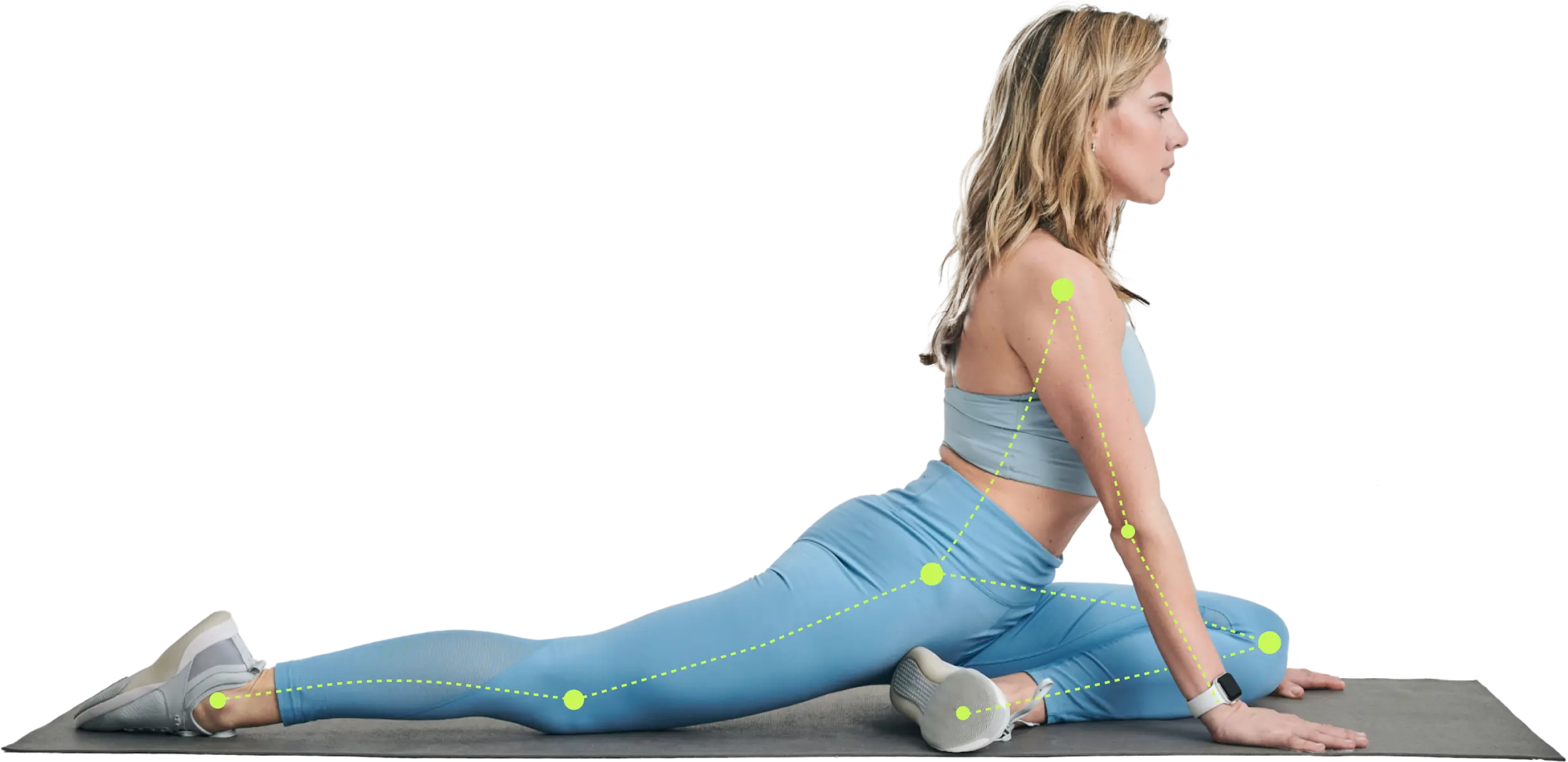
Zing Coach is the best fit for beginners, returning lifters, busy professionals, and anyone who wants structure without managing multiple apps. Setup is practical. The app builds training around your goal, equipment, schedule, preferred workout length, and current fitness level, then uses Apple Health data, an in-app fitness test, and body composition scanning to refine recommendations.
The standout advantage is adherence. Users who struggle to log food in one app and follow workouts in another usually do better with one system that keeps both habits in front of them.
Its real-time computer vision also gives it a different feel from standard macro apps. Rep counting, movement guidance, and technique feedback are useful if you train alone and want more confidence in your sessions.
Practical rule: If separate apps have already made you inconsistent, use one platform that ties food, training, and recovery together.
For nutrition, Zing is strongest for people who want clear macro guidance they can follow in real life. It supports fat loss, muscle gain, and general consistency without pushing you into spreadsheet-level tracking. If you need help with the basics first, this guide on how to count macros for beginners is a useful starting point.
Trade-offs that matter
Zing Coach is not the top choice for the data-obsessed food logger who wants the deepest food database or detailed micronutrient analysis. It is also a weaker fit for someone who only wants a free calorie counter and has no interest in guided training. Meal-planning depth is more limited than in nutrition-first apps built around food logging alone.
Still, for the user whose real problem is consistency, Zing solves a bigger coaching gap than many macro apps do. It gives you workouts, nutrition targets, feedback, and plan adjustments in one place. That combination makes it the strongest pick here for people who want to stop piecing together their fitness routine and start following one.
- Best for: Beginners, busy professionals, returning gym-goers, and users who want workouts plus macro guidance in one place
- What works well: Personalized training, adaptive programming, body composition tracking, real-time form support, clear progress feedback
- Main drawback: Less nutrition-database depth than specialist tracking apps
Use Zing Coach if you want one app to handle both training and macro guidance.
2. MacroFactor

MacroFactor is the best macro calculator app for the person who wants the app to think with them. It's built for data-driven users who care less about motivational fluff and more about a system that updates calorie and macro targets based on actual intake and bodyweight trends.
Independent reviews position MacroFactor as a stronger option for advanced users because it combines food logging with daily bodyweight to estimate and update energy expenditure, then adapts targets over time, which makes it closer to a coaching workflow than a static calculator in practice, as noted in Garage Gym Reviews on the best calorie counter apps.
Best for the analytical dieter
If you like seeing trend data, comparing expected versus actual progress, and reducing guesswork, MacroFactor is a strong fit. It works especially well for intermediate and advanced lifters, physique-focused users, and anyone who's tired of manually recalculating macros every few weeks.
It also suits people who don't want ads or coaching upsells interrupting the experience. The interface is built around function, not distractions.
A common issue with static calculators is that they give you numbers once, then leave you alone with them. If you want a refresher on setting a starting point before an adaptive app takes over, this article on what your macros should be is useful context.
- Best for: Advanced users, experienced dieters, physique athletes, and people who like trend-based adjustments
- What works well: Adaptive targets, strong analytics, clear logic, premium feel
- Main drawback: No free tier, and beginners may find it more technical than necessary
Use it at MacroFactor.
3. Carbon Diet Coach

Carbon Diet Coach works best for the user who wants structure but doesn't want to hire a coach. It gives clear macro targets, weekly check-ins, and automatic adjustments tied to your goal, whether that's fat loss, maintenance, muscle gain, or a reverse diet.
That makes it practical for people who don't want full manual control. You check in, follow the plan, and let the system tighten the screws when needed.
Best for the user who wants guardrails
Carbon is a strong middle ground between a simple logger and a more technical adaptive platform. It's easier to follow than many data-heavy apps, but it still gives enough direction to keep progress moving. I'd recommend it to users who tend to stall because they overthink every adjustment.
Its food logging tools, barcode scanning, and recipe functions also make daily use manageable, which matters more than people think. If the workflow is annoying, even a smart macro plan gets abandoned.
If you don't trust yourself to make calm, objective calorie changes week to week, an app with structured check-ins can keep you from changing too much, too soon.
- Best for: Fat-loss clients, muscle gain users, and anyone who wants coach-like structure without a coach
- What works well: Weekly adjustments, clear guidance, useful goal modes, solid daily workflow
- Main drawback: Less appealing if you prefer complete manual control
Use it at Carbon Diet Coach.
4. RP Diet Coach

RP Diet Coach is for people who perform better with strict structure. Rather than giving you daily macros and letting you distribute them however you want, it pushes meal-level targets and a more deliberate daily plan.
Some users love that. Others bounce off it fast.
Best for the structure-first personality
If you're the type who wants to know not just your daily protein, carbs, and fat, but how to spread those across the day, RP has a clear advantage. It's useful for athletes, serious recreational lifters, and people who like being told exactly what the target is at each meal.
The app's workflow can feel rigid if you prefer flexibility. But for users who struggle with under-eating protein early, overshooting calories late, or constantly “making up” macros at night, that rigidity can be a feature.
Here's the trade-off in plain terms:
- Best for: Athletes, highly structured dieters, and users who like meal-level targets
- What works well: Explicit daily guidance, weekly recalibration, strong guardrails
- Main drawback: Less flexible for free-form eaters
Use it at RP Diet Coach.
5. Cronometer

Cronometer fits a specific type of user. You care less about having the biggest food database and more about having cleaner entries, deeper nutrient detail, and fewer questionable logs.
That makes it a strong pick for the data-focused user, the clinician-minded user, and anyone tracking more than calories and protein. Cronometer puts a lot more emphasis on verified nutrition data and micronutrients than mainstream apps that prioritize speed and convenience.
Best for the precision-focused user
If you want to track vitamins, minerals, fiber, and food quality alongside macros, Cronometer does that better than most general-purpose trackers. Independent review coverage has also highlighted it as a strong option for users who want more accurate nutrition input and better micronutrient visibility, as explained in Katelyn Mann Nutrition's tracking app review.
In practice, that matters for people managing specific health concerns, users trying to catch nutrient gaps, and coaches who need cleaner food logs before making calorie or macro adjustments. It is also useful for anyone who wants to understand the logic behind their targets, not just hit a daily number. If you need help with that side of the process, start with this guide on how to calculate daily calorie needs.
The trade-off is simple. Cronometer gives you more detail, but it asks more from you.
The downside
The interface can feel technical, especially for beginners who just want to scan food, log meals fast, and move on. Compared with more mainstream apps, it can feel slower and less forgiving.
For the right user, that is acceptable. For a casual tracker, it can be enough friction to stop using the app after a week.
- Best for: Detail-oriented users, clinicians, quantified-self enthusiasts, and people with specific nutrition concerns
- What works well: Verified food entries, strong micronutrient tracking, useful nutrition analysis tools
- Main drawback: More technical and less beginner-friendly than simpler trackers
Use it at Cronometer.
6. MyFitnessPal

You download a macro tracker, search for a food you eat all the time, and get page after page of entries that look almost identical. MyFitnessPal is often that experience. It is familiar, widely used, and packed with food listings, which is exactly why many people start here.
Best for the user who wants the app everyone already knows
MyFitnessPal works best for someone who values convenience, broad food coverage, and a familiar interface over precision. If you eat a mix of packaged foods, restaurant meals, and common grocery staples, it usually has an entry ready to go. The app also benefits from its size. There are plenty of tutorials, forum answers, and coach instructions built around it, so beginners rarely feel stuck for long.
The trade-off is quality control.
A large database gives you more options, but it also means you need to spot duplicates, outdated entries, and user-submitted listings that do not match the label in your hand. For general awareness, that may be good enough. For tighter cutting phases, physique goals, or clients who need repeatable numbers, it creates more cleanup work than apps with stricter food data standards.
That is the key question with MyFitnessPal. Not whether it can track macros, but whether you trust what you log.
If you use it, sanity-check your targets before following the app blindly. A quick review of how to calculate daily calorie needs helps you catch bad calorie goals and macro splits before they turn into weeks of stalled progress.
Coach's note: I recommend MyFitnessPal most often to people who need low resistance and broad food coverage. I recommend something else when accuracy matters more than convenience.
- Best for: Users who want a familiar app, easy food lookup, and lots of community support
- What works well: Broad food database, strong brand familiarity, useful for logging common foods and restaurant meals
- Main drawback: Food entries can be inconsistent, so accurate tracking takes more attention from the user
Use it at MyFitnessPal.
7. Lose It!

Lose It! is one of the easiest apps to recommend to someone who says, “I need this to be simple or I won't do it.” It's not the deepest app on this list, and that's part of the appeal.
For habit-building, simplicity wins more often than sophistication.
Best for the beginner who needs low friction
Lose It! gives you a straightforward calorie and macro tracking workflow, a familiar interface, and optional premium features if you decide you want more. It doesn't feel as technical as Cronometer or MacroFactor, and it doesn't demand the same level of buy-in as coaching-style apps.
That makes it a strong fit for people starting their first cut, returning to tracking after a long break, or trying to create awareness around food intake without obsessing over details.
The trade-off is obvious. If you want highly customized macro control, more advanced analytics, or nuanced coaching logic, you'll outgrow it faster than some alternatives.
- Best for: New trackers, casual fat-loss users, and anyone who values speed over depth
- What works well: Simple UX, familiar logging, approachable learning curve
- Main drawback: Advanced macro features sit behind Premium and the app is less powerful for precise planning
Use it at Lose It!.
8. Carb Manager

Carb Manager is the easiest recommendation for the low-carb or keto user. If your diet revolves around restricting carbs, tracking net carbs, or cycling carbohydrate intake, it's built around your actual use case instead of forcing you to adapt a general app.
That's important because low-carb users often don't need a generic tracker. They need one that makes carb control obvious at a glance.
Best for low-carb and keto dieters
Carb Manager's dedicated net-carb tracking, carb-cycling tools, and fasting support make it more practical than broad nutrition apps for this audience. You spend less time customizing the platform and more time using it as intended.
It's also useful for users who want macro visibility tied to a low-carb framework rather than a traditional bodybuilding split.
If your goal is fat loss and appetite control through lower-carb eating, pair the app with practical food choices instead of just chasing numbers. This guide on healthy eating for fat loss is a good companion.
- Best for: Keto users, low-carb dieters, and people focused on net carbs
- What works well: Net-carb visibility, niche-specific tools, relevant analytics
- Main drawback: Less compelling if you're not eating low carb
Use it at Carb Manager.
9. My Macros+

My Macros+ has long appealed to bodybuilders and experienced lifters because it treats macro tracking like a practical daily tool, not a wellness lifestyle product. If you want flexible macro goals, high and low days, and meal structure that fits training, it's still a solid option.
It feels less polished than newer apps. For the right user, that won't matter.
Best for lifters who want flexible setup
This app works well for users who already understand macro tracking and want to build their own system. Carb cycling, multiple macro goals, offline-friendly logging, and Apple ecosystem support all make it attractive for serious trainees.
It's especially useful if you're chasing body composition changes and want your diet structure to reflect training demands instead of using one static target every day.
If muscle gain is your main goal, don't let the app do all the thinking for you. Your protein target still deserves attention, and this protein intake calculator for muscle growth can help frame that correctly.
The best bodybuilding-friendly app isn't always the prettiest one. It's the one that lets you set targets the way you actually eat and train.
- Best for: Bodybuilders, experienced lifters, and users who want carb cycling or varied macro days
- What works well: Strong customization, lightweight workflow, Apple integrations
- Main drawback: iOS-focused and less consistent than some newer apps in database feel
Use it at My Macros+.
10. FoodNoms

FoodNoms is for the Apple-first user who wants macro tracking to feel clean, fast, and modern. Its design is one of its biggest strengths, but the app isn't just pretty. It's efficient.
That matters more than people admit. Good design reduces friction.
Best for iPhone users who care about experience
If you live in Apple Health, use an Apple Watch, and hate cluttered nutrition apps, FoodNoms is a strong pick. It keeps logging fast, gives you macro and nutrient tracking, and supports AI meal logging, barcode scanning, and nutrition-label scans in a tidy package.
It's a practical option for users who want better design than many mainstream trackers but don't need the full analytical depth of Cronometer or the adaptive coaching logic of MacroFactor.
The trade-off is platform limitation. If you need Android support, FoodNoms is out. And if you want the deepest possible database, you may find it more curated than crowd-sourced giants.
- Best for: iPhone and Apple Watch users who want a polished macro tracker
- What works well: Clean design, fast logging, Apple integration, focused experience
- Main drawback: No Android version and a smaller database feel than the biggest platforms
Use it at FoodNoms.
Top 10 Macro Calculator Apps Comparison
| Product | Core offering | Key tech & tracking | Target users | Price & value | Unique selling point |
|---|---|---|---|---|---|
| Zing Coach (Recommended) | AI-personalized, adaptive training + nutrition | Real-time computer-vision form & rep counting; Body Composition Scan; Fitness Test; Apple Health sync | Beginners, returning gym-goers, busy pros, data-driven athletes, injury management | No clear site pricing; one-time scan reported; often cited as cost-effective vs PT | Combines live form feedback, body-scan calibration, adaptive AI plans and expert backing |
| MacroFactor, Smart Macro Tracker & Diet Coach | Algorithmic macro tracker that auto-adjusts weekly | Trend-based energy model from weight/intake; privacy-first, ad-free | Data-driven users wanting minimal micromanagement | Premium-only (no free tier); transparent pricing | Weekly algorithmic calorie/macro tuning with privacy focus |
| Carbon Diet Coach, Macro Coach & Tracker | Weekly check-in macro coaching with goal modes | Check-in driven auto-adjustments; barcode & recipe logging | Users who want structured macro guardrails without a human coach | Competitive monthly/semi-annual/annual plans | Clear goal modes (cut, reverse, maintain, gain) and simple weekly adjustments |
| RP Diet Coach, Renaissance Periodization | Daily & meal-level macro prescriptions with weekly updates | Day Balance view; HealthKit sync; barcode scanning | Users wanting explicit daily macro & meal guidance | Paid app; pricing varies by storefront | Science-backed protocols (PhDs/RDs) with meal-level targets and safety guardrails |
| Cronometer, Precise Macro and Micronutrient Tracker | Deep macro + micronutrient tracking for accuracy | Extensive nutrient charts, wearable integrations, data export | Clinicians, quantified-self users, micronutrient-focused users | Free with Gold subscription for advanced tools | Best-in-class micronutrient detail and raw data access |
| MyFitnessPal, Mainstream Macro Tracker | Huge food database; macro/meal targets (Premium) | Barcode scanning, recipe tools, broad integrations | Beginners and mainstream users wanting easy start | Free tier with ads; Premium unlocks advanced macro controls | Massive food DB and wide ecosystem integrations |
| Lose It!, Calorie & Macro Tracker | Simple daily logging with optional macro goals | Barcode, recipe import, fasting & community features | Beginners wanting straightforward calorie/macro logging | Free tier; Premium for macro tools and camera features | Simple UX and easy daily logging for habit-building |
| Carb Manager, Low-Carb/Keto Macro Targeting | Net-carb focused tracker with keto features | Net carb tracking, carb-cycling, fasting tools | Keto/low-carb users and metabolic-health focused | Free with Premium for advanced analytics; regional pricing in-app | Specialized net-carb views and carb-cycling tools |
| My Macros+, Flexible Macro Tracker | Macro-first, highly customizable tracker for lifters | Carb-cycling, offline logging, Apple Watch/Health support; iOS only | Bodybuilders and lifters needing flexible goal setups | One-time purchase + optional Pro/AI add-ons | Flexible meal/goal structure and fast logging for strength athletes |
| FoodNoms, iOS-First Macro Tracker | Clean, Apple-centric macro tracker with AI logging | AI photo logging, barcode/label scan, deep Apple Health & Watch | iPhone/Apple Watch users who value design and privacy | Free tier; Foodnoms+ subscription with transparent pricing | Fast polished logging, privacy-minded design, strong Apple ecosystem support |
Your Next Step From Tracking to Thriving
You log meals for two weeks, hit your macro target most days, and still feel stuck. That usually means the problem is no longer tracking. It is fit. The right app has to match the way you eat, train, and make decisions on a busy day.
That is why the best choice depends on the user, not the feature count.
Beginners usually do better with an app that keeps logging simple and makes the next action obvious. An experienced lifter cutting for a meet may need tighter macro control, faster edits, and better trend analysis. Someone eating low-carb needs net carb tracking that does not fight the plan. Someone who wants better performance, body composition, and consistency at the same time often needs more than a food diary.
Independent guidance from Eat This Much's review of macro tracking apps makes the same point in a practical way. The best app changes based on the job you need it to do, whether that is meal planning, adaptive coaching, or more accurate nutrition data. In real coaching, that trade-off matters. The app with the biggest database is not always the app that gets better adherence. The app with the cleanest data is not always the one a beginner will keep using.
A simple way to choose is to match the app to your bottleneck.
If you need one place for training and nutrition, Zing Coach is the strongest fit in this list. It works well for users who do not just want macro targets. They want those targets connected to workouts, recovery, and progress over time. That matters because food decisions are easier to stick to when they support a training plan you are already following.
If you want precision first, Cronometer stands out. If you want coaching logic that updates your intake based on progress, MacroFactor and Carbon Diet Coach make more sense. If you want a straightforward mainstream tracker with a huge database and familiar interface, MyFitnessPal and Lose It! are still practical options. If you eat keto or low-carb, Carb Manager is built for that job. If you are a macro-first lifter who values speed and flexibility, My Macros+ still has a loyal following. If you are deep in the Apple ecosystem and care about polished design, FoodNoms is an easy pick.
The trade-off is straightforward. Simpler apps are easier to follow but may leave advanced users wanting more control. Data-heavy apps offer better analysis but ask more from you every day. Integrated coaching apps reduce guesswork, but they are best for people who prioritize guidance rather than a blank logging tool.
Choose the app that solves the thing that keeps breaking your consistency. If your issue is confusion, pick clarity. If your issue is data quality, pick accuracy. If your issue is turning macro targets into better workouts, better recovery, and better habits, pick a system that connects the full process instead of treating nutrition like a separate task.
Share this article


Authors