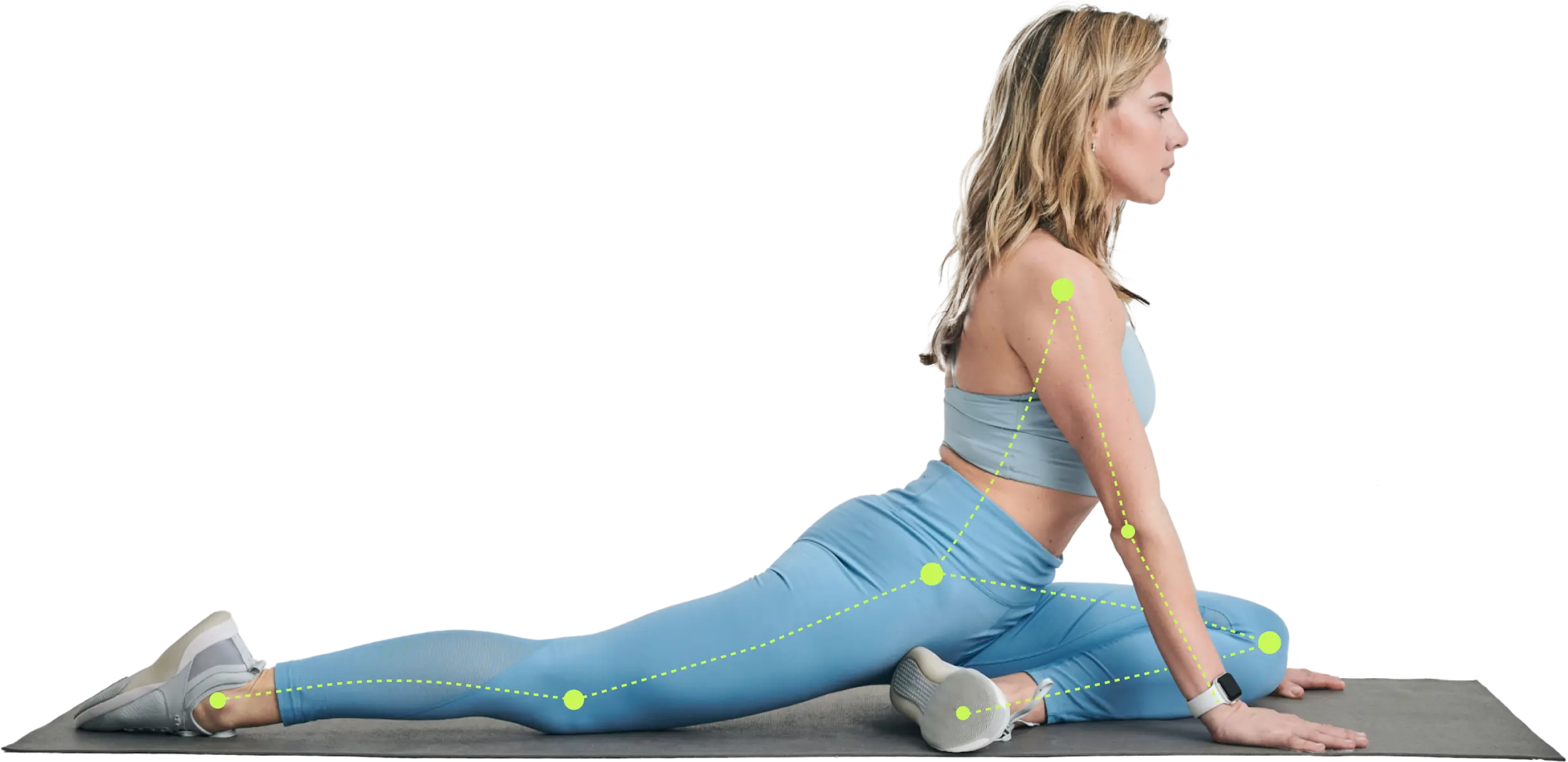
Discover what a guided workout app is, how AI and computer vision personalize your training, and how to choose the best app for your fitness goals in 2026.
You open a workout app because you want less guesswork. Instead, you get a wall of classes, a dozen filters, and the same question you had before: What should I do today?
That's the modern fitness problem in one screen. Some people feel it in a crowded gym where every machine is taken. Others feel it at home, standing next to dumbbells they bought with good intentions. You want a plan, not more noise. You want coaching, not just content.
A good guided workout app can help. A bad one just gives you prettier confusion.
The Modern Fitness Dilemma and the Rise of Digital Guides
Fitness has become more convenient, but convenience alone doesn't solve direction. Streaming a workout is easy. Sticking with the right workout for your body, your schedule, and your energy level is much harder.
That gap explains why guided fitness has become such a big part of how people train. In 2024, health and wellness app downloads reached 3.6 billion worldwide, and January 2025 alone saw 25.15 million fitness and workout app downloads globally, according to Statista's health and fitness app industry overview. People aren't just browsing. They're actively looking for digital help with training.
Why people get stuck
Most readers I talk to aren't lazy. They're overloaded.
- Too many options: One app offers strength, yoga, HIIT, mobility, and running, but doesn't tell you what matters most for your goal.
- No progression: You can find a workout for today, but not a plan for next month.
- Poor fit for real life: Your time, equipment, energy, and experience change from day to day.
That's why guided apps matter. They try to answer the practical questions a coach would ask. What's your goal? What equipment do you have? How much time do you have today? How hard did last session feel?
For someone focused on fat loss, it can help to compare digital tools side by side before picking one. This roundup of apps for weight loss is a useful starting point if that's your main goal.
A workout library gives you options. A guided workout app should give you a path.
What readers usually want
Users aren't searching for a perfect app. They want an app that helps them stop overthinking and start moving consistently. They want something that feels like a coach in their pocket, not a video shelf.
That's the difference this guide focuses on. Not flashy features. Not celebrity trainers. Not endless classes. Just a clear look at what a guided workout app is, how the smart ones work, and how to tell whether the personalization is real.
What Is a Guided Workout App Really
A guided workout app is more than a place to watch exercises. At its best, it works like a GPS for your training.
You tell it your starting point, such as beginner, returning after a break, or training around an old knee issue. You tell it your destination, such as weight loss, muscle gain, better stamina, or basic consistency. Then the app should map out a route and adjust it when your real life gets in the way.

Video library versus actual guidance
Confusion often arises. Many apps use coaching language, but not all of them provide coaching.
A basic app might do this:
- show you a leg workout
- play a timer
- let you bookmark favorites
- suggest another class tomorrow
A guided app should do more:
- assign workouts based on your goal and level
- build progression across weeks
- respond to your feedback
- change exercises when your equipment or schedule changes
That difference matters. If an app never changes the plan after your first quiz, it may be organized, but it isn't very personalized.
Core idea: A real guided workout app doesn't just deliver workouts. It plans, adjusts, and progresses them.
What guidance looks like in practice
Think about a beginner doing squats. A video app might say, “Do 3 sets.” A guided app might notice that the user struggled last session, shorten the workout, switch to a simpler squat variation, and add more coaching cues.
Now think about someone training at home three days a week. A smart app should recognize whether that person has resistance bands, dumbbells, or nothing at all. It should also know whether the plan still makes sense if one workout gets missed.
That's why a personalized program matters more than sheer volume. A library with hundreds of sessions can still leave you guessing. A smaller but better-structured app can feel far more useful.
If you're also trying to map out your training more intentionally, a free personalized exercise plan guide can help you think through what a customized program should include.
Some creators also like to record movement demos, habit check-ins, or technique notes alongside their training. If you want a simple tool for that, you can access the video creation app to make clear visual content for your own fitness workflow.
The simplest test
Ask one question before you subscribe:
If I get stronger, busier, more tired, or temporarily limited, will this app change with me?
If the answer is yes, you're looking at guidance. If the answer is no, you're mostly looking at content.
The Technology Powering Pocket Personal Trainers
The smart part of a guided workout app can sound mysterious, but the basic idea is simple. Good systems use feedback.
A coach watches how you perform, asks how you feel, and changes the next step. Advanced apps try to copy that process with software. Independent app testing notes that stronger workout apps use a closed-loop system, adjusting training from readiness signals like sleep, soreness, and motivation, and some also use camera-based form tracking for real-time corrections, as described in Garage Gym Reviews' workout app review.

AI that adjusts instead of guessing
The easiest analogy is a thermostat.
You don't set a home thermostat once in January and expect it to be correct forever. It keeps checking the room and adjusting. A guided workout app should work the same way. It shouldn't rely only on the answers you gave during signup. It should keep asking, in one form or another, “How are you doing right now?”
That can include:
- Performance feedback: Did you complete the reps? Was the weight too easy or too hard?
- Recovery feedback: How's your sleep, soreness, motivation, and fatigue?
- Practical constraints: Are you in a gym today, at home, or short on time?
The better the app handles those signals, the more useful it becomes for normal people with changing schedules.
If you want to explore this category more specifically, this guide to an AI-powered workout app breaks down what adaptive coaching looks like in training software.
Computer vision that watches form
Computer vision sounds technical, but the idea is familiar. Your phone camera “sees” movement patterns and compares them to expected positions.
That can help with things like:
- rep counting
- pace tracking
- range of motion cues
- posture reminders during an exercise
It's not magic, and it's not the same as having an experienced coach physically in the room. But it can still be useful, especially for solo workouts where nobody is there to tell you that your squat depth changed or your back rounded as you got tired.
The first feedback loop changes the workout. The second feedback loop changes how you perform the workout.
Data that becomes coaching
Metrics are only helpful when they lead to a decision. Logging reps without adjusting future training is just recordkeeping.
A more useful system turns data into action. If your recent sessions suggest fatigue, the app may lower intensity. If your performance trend is climbing, it may increase challenge. If your movement quality drops, it may cue a simpler variation or a lighter load.
For coaches and managers building training support into a broader system, an intelligent coaching assistant can also be a helpful example of how AI can structure feedback and decision-making.
The big takeaway is that modern fitness tech isn't only about tracking. It's about response. The app gathers information, interprets it, and changes your next step. That's what makes the best guided tools feel less like a library and more like a pocket trainer.
Real-World Benefits for Every Fitness Level
Features matter less than fit. The same guided workout app can feel life-changing for one person and useless for another, depending on how well it matches their situation.
The easiest way to understand this is to look at real-life patterns.
The beginner who needs confidence
A beginner often doesn't need more intensity. They need fewer decisions.
A guided app can help by narrowing the focus. Instead of asking, “Which full-body workout should I choose?” the app assigns one. Instead of expecting perfect form awareness, it gives cues, demos, and a repeatable structure. That removes the pressure to know everything on day one.
Beginners also benefit from progression that starts conservatively. A solid app doesn't throw advanced volume at someone who's just learning how to hinge, squat, push, and brace.
The person coming back after time off
This group often makes the same mistake. They train according to memory, not current ability.
Maybe they used to lift regularly. Maybe they played sports. Maybe they were consistent before a stressful season of life. The body remembers some movement patterns, but that doesn't mean it's ready for the old training load.
A guided app can be useful here because it can rebuild gradually. It can scale back volume, choose simpler versions, and adjust upward as performance returns. That's much better than copying a workout from your “best shape” era and hoping it goes well.
Returning to exercise is not starting from zero, but it's also not picking up exactly where you left off.
The busy professional who needs efficiency
This user doesn't usually struggle with motivation. They struggle with friction.
If a workout takes too much setup, too much planning, or too much travel time, it gets skipped. Guided apps help by turning workouts into appointments with clear boundaries. A short, structured session often beats an ambitious plan that never starts.
This is also where app-based scheduling and reminders help. They reduce the mental work around training. For people trying to build momentum, this guide on how to stay consistent with exercise pairs well with app-based planning.
The user with limitations or past injuries
This is the group that most feature lists ignore.
Many people don't need “hardcore.” They need smart modification. They need an app that knows the difference between challenge and aggravation. Reviews of free workout apps note that stronger guided apps offer customized progressions, exercise alternatives, and automatic load adjustments based on feedback, which can make them feel safer and more confidence-building than generic non-adaptive videos, as discussed in Garage Gym Reviews' free workout app review.
That doesn't mean every AI-guided app is automatically safe. It means adaptation quality matters. If your knee flares up, the app should give you another path. If fatigue is high, it should reduce the day's demand instead of pretending the original plan still fits.
For this user, personalization isn't a luxury feature. It's the whole point.
How to Choose the Right Guided Workout App for You
The wrong way to choose a guided workout app is to ask, “Which one has the most workouts?”
That sounds logical, but it often leads people into the same trap: too much content, not enough coaching. Recent expert reviews have shifted toward a better question, focusing on which apps adapt enough to prevent plateau and boredom, rather than which ones hold the largest library, as highlighted by Fortune's review of workout apps.

The questions that actually matter
When you compare apps, use this checklist:
- Does it adjust future workouts? If you report that a session was too hard, does anything change next time?
- Does it personalize load, not just exercise selection? Swapping dumbbell rows for band rows is helpful, but real personalization also changes volume and intensity.
- Can it adapt to today's equipment? Your app should work whether you're in a full gym, hotel room, or living room.
- Does it account for readiness? Sleep, soreness, fatigue, and motivation affect training quality.
- Does it support safe regressions? Especially important for beginners, older users, and people managing pain history.
- Does it help you progress? You want more than random variety. You want a clear path forward.
- Is the coaching style usable? Some people want a calm, direct tone. Others like more energy. If the app's voice annoys you, you won't stick with it.
Guided Workout App Decision Criteria
| Criterion | Basic App (Video Library) | Advanced App (AI Coach) |
|---|---|---|
| Personalization | Starts with general preferences | Updates from feedback and readiness |
| Progression | Often user-directed | Built into the program |
| Equipment changes | Filter-based only | Can modify the session plan |
| Recovery awareness | Minimal | Can reduce or reshape workload |
| Form support | Demo video only | May offer camera-based feedback |
| Long-term adherence | Depends on self-direction | Better suited to evolving needs |
A simple way to test personalization
Try this mental stress test.
You slept badly. Your shoulders are sore. You only have twenty minutes and a pair of dumbbells.
What happens in the app?
If the answer is “it still serves the same workout,” that's not much of a coach. If the answer is “it trims the session, changes the exercise mix, and adjusts effort,” that's closer to real guidance.
Buying rule: Choose the app that makes better decisions with your data, not the one that gives you the biggest content buffet.
One example in this category is Zing Coach, which uses an intake quiz, equipment preferences, fitness testing, recovery-related inputs, and camera-based form tracking to tailor sessions and adjust training over time. That doesn't make it the right fit for everyone, but it does place it in the adaptive coaching category rather than the static library category.
The goal isn't to find the most impressive app on a landing page. It's to find the one that still feels helpful after the first week, when motivation drops and real life starts negotiating with your plan.
Getting Started and Building Lasting Habits
New fitness app users often waste the first week by rushing through setup. Then they wonder why the workouts feel off.
Slow down at the start. A guided workout app can only guide from the information you give it.

Be honest during setup
When the app asks about your goal, experience, schedule, and equipment, don't answer based on your best week from two years ago. Answer based on your normal week now.
That means:
- Pick a realistic schedule: If you can reliably train three days, don't choose six.
- Select your actual equipment: Include only what you can use regularly.
- Report limitations clearly: Old injuries, low-back sensitivity, fatigue patterns, and movement restrictions matter.
A realistic starting point makes the app more accurate. An aspirational setup usually creates workouts that feel too hard, too long, or too inconvenient.
Use the first workouts as calibration
Your first few sessions are part workout, part assessment. Pay attention to how the app asks for feedback. If it gives you chances to rate difficulty, soreness, or energy, use them carefully. That's how the system learns.
Many users skip this because they want to “prove” they can handle more. That usually backfires. Better results come from honest input than from ego.
Treat week one like teaching a new coach how your body responds.
If habit formation is your bigger challenge, this article on how to create routines that stick gives a practical framework for making exercise easier to repeat.
Let the app support the routine
A guided app works best when it becomes part of a pattern, not a daily debate.
Try this simple first-week approach:
- Schedule your workouts in advance. Put them on your calendar before the week starts.
- Keep the bar low enough to clear. Finishing shorter sessions beats repeatedly postponing long ones.
- Review after each session. Note what felt manageable, awkward, or too intense.
- Protect the cue. Train at the same general time when possible.
- Use streaks and reminders carefully. They can help, but they shouldn't become guilt tools.
A short visual explainer can also help if you prefer seeing how app-based coaching works in motion.
The main thing is consistency, not perfect compliance. If you miss a day, reopen the app and do the next sensible workout. The habit survives when you return quickly.
Safety Considerations and Common Questions
Can a guided workout app replace a human trainer
Sometimes, but not always.
For general fitness, habit-building, and structured progression, a guided workout app can be very helpful. For complex pain cases, major technique issues, or rehab-style needs, an experienced human coach or clinician is still more appropriate.
How much do guided workout apps cost
Pricing varies a lot. Some apps offer free versions with limited features. Others use monthly or annual subscriptions. The important question isn't just price. It's whether the app gives you enough adaptation, instruction, and follow-through to justify paying for it.
Is my fitness data private
Check the app's privacy policy before you join. Look for clear explanations about what data is collected, how it's stored, and whether it's shared with third parties. If an app connects to wearables or health platforms, read those permissions carefully too.
How do I know if a workout is too much
Watch for warning signs like lingering exhaustion, declining performance, unusual soreness, trouble sleeping, or dreading every session. If you're unsure, this guide on how to know if you're overtraining can help you spot the difference between normal fatigue and a plan that needs adjustment.
If pain feels sharp, symptoms escalate, or fatigue keeps building, stop treating it like a motivation problem.
General safety reminder
Start below your maximum. Progress gradually. Listen to your body. If you have a medical condition, a recent injury, or significant pain, talk with a qualified healthcare professional before starting a new program. An app can be a useful tool, but it isn't a medical professional.
If you want a guided workout app that builds training around your goals, equipment, schedule, and feedback, Zing Coach is worth a look. It's designed to create personalized plans, adapt sessions over time, and support both beginners and more experienced users who want clearer direction.
Share this article


Authors